
How Dragonfly Cuts Celery & Sidekiq Queue Memory by 3-4x with Dictionary Compression
Dragonfly has gained a new type of compression for lists. This new feature enables efficient compression of small records which are traditionally very hard to compress.

July 22, 2026
Motivation
Compression in general works well on large data items. The larger a record is, the better it can be compressed. There are, however, cases where there are many small records which share a common schema.
Because the records are small, they do not compress well individually. But because of the shared schema, for example common keys, they can be compressed much more efficiently as a group.
The new feature enables us to compress lists of such small records efficiently, by using the shared schema as state.
Target Workloads
This feature is particularly useful for frameworks such as Celery and Sidekiq. These programs often form the backbone of large web applications written in Python and Ruby, such as websites built using Django and Rails.
Applications designed using these frameworks often spawn async jobs for worker processes, to keep the web service responsive. A common design is where producers (the web service) pushes tasks to be done into a queue containing task metadata and parameters. Consumers which are separate processes on the same or different machine pull from the same queue and perform tasks.
In this architecture, Dragonfly stores the queue itself, usually as a list. This way even if producers or consumers are restarted, pending jobs are still available because the backing store is still available.
Because the structure of the records in the queue represents a contract between producers and consumers, the schema is fixed beforehand. The records themselves are fairly small, which makes them bad for traditional compression. But the fixed structure as well as the small size make them an excellent candidate for dictionary based compression.
Adoption Path
To enable the feature list_compress_dict_threshold should be set to a non-zero value. A suitably large value should be chosen so that when a list is considered for training or compression, it is large enough in bytes to provide a useful initial state for compression. In our tests we use 16 KiB as the threshold.
Technical Details
Usually compression works in a fixed pattern. A compressor starts as a blank slate. As it consumes input, it identifies substrings which are repeated. The core idea of lossless compression is to replace these repeat occurrences with references to the first substring. Thus only the first substring uses full space, and the following references hold only a small fixed size "pointer" to the first occurrence, such as "50 bytes of data, at 1023 byte relative offset".
But this approach does not work very well for small records. For example consider a JSON record:
{
"customer_name": "...",
 "customer_address": "..."
}We might process millions of JSON records like this independent of each other. customer_name is almost certainly a common key, but the individual compressors working on single records do not know the schema when they start, thus they cannot replace the substring with a reference.
In short, for a small record, there is not enough data to decipher patterns and drive compression. This is where the concept of a dictionary comes in.
A dictionary is a set of data that acts as the pre-filled state for a new compressor. It behaves as if the strings in the dictionary have already been seen by the compressor, so the record to be compressed can contain references to dictionary items.
With structured data like JSON this is a huge win, because things like keys are repeated more often than not, and a dictionary once trained will contain most of the keys and a new record can simply contain references to that data, achieving excellent compression.

In Dragonfly today this feature is turned on by setting a flag: list_experimental_zstd_dict_threshold. This flag is set to zero, which disables the feature by default. If set to a non-zero number this flag represents the number of bytes a list must hold before the new compression algorithm will be attempted. If the feature is enabled, the first time a list (which is larger than the threshold) is seen, it is used to train a compression dictionary.
Once the dictionary has been established, it is used to drive compression of all future records added to lists. This dictionary stays unmodified for the process lifetime.
So the first time, for example, the default list in Celery grows over the set threshold, its contents are used to create the dictionary. Since the list is large at this point it has enough repeated JSON records to create a useful dictionary.
The list is compressed in bulk, that is, all nodes in the list are compressed except for the first and last nodes.
From this point onwards, any new node added to this list is compressed using the same dictionary, and any new lists that grow to the threshold are also compressed using the same dictionary.
In summary the compression state machine looks roughly like this:

What makes this algorithm particularly attractive for workloads like Celery and Sidekiq is that these tools have a fixed set of lists and a rigid schema.
Reading back the data is transparent to a consumer program, Dragonfly decompresses the data internally before handing it to the client.
It also marks data for re-compression where appropriate, so that over time the lists converge towards the compressed state and smaller memory usage.
Because the first list to be picked for creating the dictionary is the only one that participates in the training, special care is taken to select it. In addition to being over the threshold size, its estimated compressibility must also be better than a minimum threshold, so that we do not use an inappropriate list for the training step.
Additionally, when compressing nodes using a dictionary, if the compressed size does not provide reasonable gains in size, then we skip compression altogether.
Benchmark Results
To test this feature and its usability, we conducted a series of experiments on both Celery and Sidekiq. The core setup was very similar, we set up a producer and a consumer, where the producer created records at a faster rate than the consumer could consume, and occasionally the producer went to sleep to allow the consumer to catch up.
This setup allows the queue to grow to large numbers, and it also allows us to observe the difference in used memory when the feature is turned on versus off.
In both cases, 16 KiB is used as the threshold size when the feature is turned on, so any lists over this size are considered for compression.
Celery
For Celery a producer was run which produced bursts of 100K messages with each message around 500 bytes in size.
The messages themselves were randomized in terms of value, such that the keys share a schema but the values differ, to produce a realistic output.
A consumer drains the queue every few seconds. The memory used by Dragonfly (the total memory size of the items in the key-value store) is seen below.
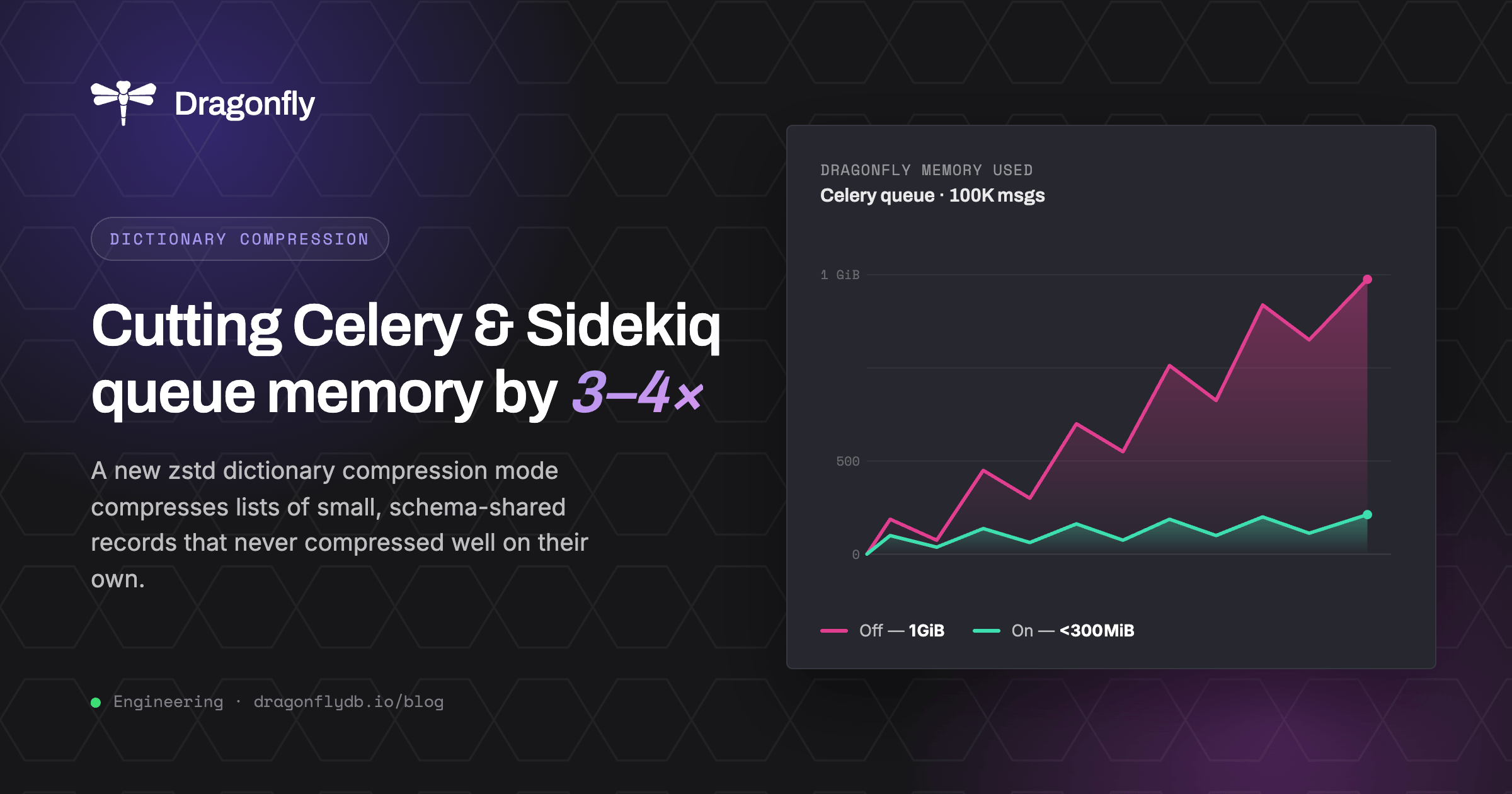
The first phase of the experiment has the feature turned off, the list has no compression. Memory usage steadily increases up to slightly over 1 GiB during the experiment run.
The second phase seen below has the feature turned on and the threshold set to 16 KiB. There is a marked difference in the memory usage, which now stays below 300 MiB for most of the workload.

Sidekiq
A very similar producer-consumer pair is set up for Sidekiq, and the results are also similar, with slightly different memory usage patterns. As seen below, the peak without the feature on is over 1 GiB whereas when the feature is turned on it is close to 250 MiB.
Sidekiq has different performance characteristics compared to Celery, for this test we changed the consumer to drain for shorter windows compared to Celery, whereas the producer behavior was kept the same.
In both cases the exact same workload was used with and without the feature enabled for a fair comparison.

Caveats
There are a few caveats which should be kept in mind.
- This feature is most useful when the list item schema is fairly uniform. In cases where lists contain data which is not well repeated, the dictionary does not share enough state with data to be compressed to be useful. Our guardrails prevent unnecessary compression in such cases.
- Additionally, there may be cases where the first list compressed is not a good representative of future lists, which represents a disparity between the dictionary and the data it tries to compress. This is not the case for deployments like Celery and Sidekiq, where the lists are not customized often.