
One Dragonfly Instance, Ten Workloads: How ACL Database Selectors Work
Learn how Dragonfly's ACL database selectors let you run multiple isolated workloads on a single instance — without spinning up separate Redis instances per app.
May 7, 2026
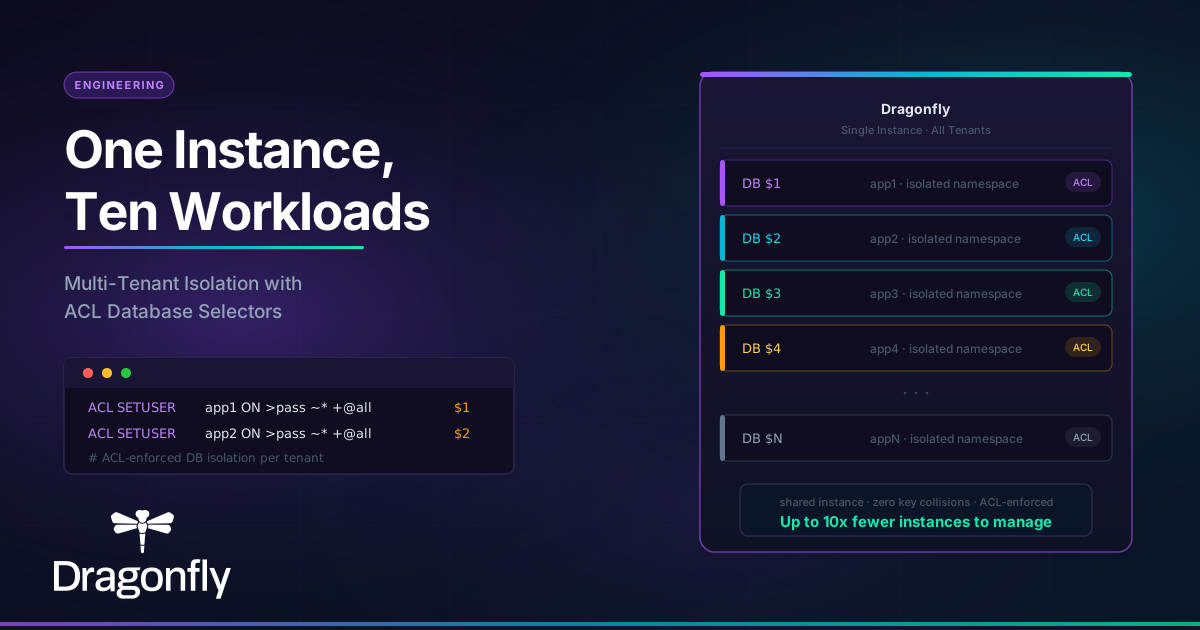
If you're running multiple applications that each need their own cache or session store, the default Redis answer is to spin up a separate instance per app. It's operationally safe, but it's also wasteful, especially when most of those workloads are small and a single Dragonfly instance has far more headroom than any one of them needs.
Teams that migrate to Dragonfly often find they can consolidate what were 5, 8, or even 10 Redis instances into a single Dragonfly instance. The question then becomes: how do you keep those workloads logically separated ? Dragonfly's answer is ACL database selectors.
The problem with one-instance-per-app
When each application gets its own Redis instance, you pay three costs that compound over time:
Infrastructure overhead scales with the number of instances, not the actual load. A small Redis instance still consumes memory, requires monitoring, needs backup configuration, and demands attention during upgrades. Multiply that by ten and you have meaningful operational drag before you've written a single line of business logic.
There's also the capacity utilization problem. Redis is single-threaded. Each instance is pinned to one core. Even if your workloads are bursty and rarely all peak at the same time, you're paying for ten peak-capacity allocations simultaneously.
Dragonfly's multi-threaded architecture changes this equation, a single instance can scale across all available cores, handling millions of ops/sec while keeping latency flat. That headroom is what makes consolidation practical.
How database selectors work
Dragonfly extends the standard ACL syntax with a database selector token: $<db-number>. When you assign this token to a user, Dragonfly automatically selects the corresponding logical database when that user authenticates, and blocks any attempt to switch databases.
Here's the setup for two applications sharing one instance:
ACL SETUSER app1 ON >SecurePass1 ~* +@all $1
ACL SETUSER app2 ON >SecurePass2 ~* +@all $2
app1 authenticates and lands in DB 1. app2 authenticates and lands in DB 2. If app1 tries to issue a SELECT 2 command, it gets a NOPERM error, not just a convention violation, a hard enforcement at the ACL layer.
The $all token preserves the default behavior (access to all logical databases) for admin users or cases where cross-database access is intentional.
No code changes are required on the application side. Each app connects with its own credentials and operates as if it owns the entire instance. The selector is enforced transparently at the connection level.
What this gives you
Logical isolation with security enforcement. The boundary between tenants isn't just a key prefix convention that any developer can accidentally break, it's ACL-enforced at the server level. An app can only see the keys in its assigned database.
No application code changes - The application just authenticates with the corresponding user and that’s it, it is automatically pinned to the ACL rule specified DB.
Fewer instances to manage. Instead of maintaining N Redis instances, you manage one Dragonfly instance with N users. Monitoring, backups, upgrades, and failover all happen once.
Better resource utilization. Dragonfly's multi-threaded design means the instance efficiently handles concurrent load from all tenants. If app1 is idle and app2 is peaking, Dragonfly uses the available compute for app2, something a fleet of single-threaded Redis instances can't do.
The tradeoff to be honest about
ACL database selectors give you logical and security boundaries, but they don't give you resource isolation. All workloads on the instance share the same CPU, memory, and network. If one tenant generates extreme load it will compete with the others.
For workloads with radically different performance profiles or SLA requirements, separate instances may still be the right call. But for teams with a mix of small-to-medium workloads that don't need hardware-level isolation, database selectors get you most of the benefit at a fraction of the operational cost.
Dragonfly Cloud support
ACL database selectors are fully supported in Dragonfly Cloud. You can configure them directly through ACL rules on your datastore — no additional setup required.
You can try Dragonfly Cloud free and set up multi-tenant isolation in minutes.