

In-Memory Database: Pros/Cons, Use Cases & Comparisons
An in-memory database (IMDB) is a database management system that stores data mainly in the main memory of a computer, rather than on disk or other external storage.
October 13, 2025
What Is an In-Memory Database?
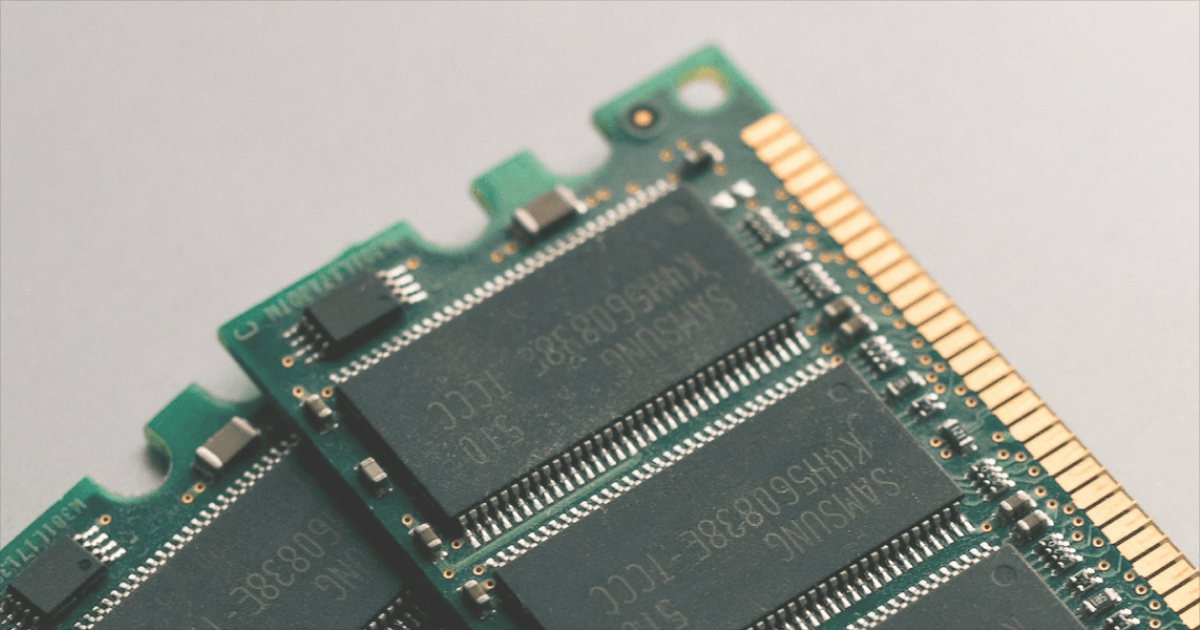
An in-memory database (IMDB) is a type of database management system that stores data mainly in the main memory of a computer, rather than on disk or other external storage devices. This means that all data is stored in RAM, which makes it much faster to access and manipulate data than traditional disk-based databases.
In-memory databases are designed for high-performance use cases that require rapid data access and low processing times, such as caching, real-time analytics, high-frequency trading, and event processing.
What Are the Differences Between IMDBs and Traditional Disk-Based Databases?
The main differences between these two types of databases include:
- Data Storage Location: IMDBs store all data in RAM, enabling near-instant data access. Traditional databases store data on disk, which introduces higher latency due to slower read/write speeds.
- Speed and Latency: IMDBs offer significantly faster response times, making them ideal for real-time applications. Disk-based systems are comparatively slower due to mechanical or SSD-based data access.
- Durability: Disk-based databases provide better durability as data persists across system reboots. IMDBs typically require additional mechanisms (like snapshots or write-ahead logs) as additional durability.
- Data Recovery: Traditional databases can recover from crashes using transaction logs stored on disk. IMDBs often need snapshot/backup solutions or hybrid persistence modes to support crash recovery.
- Cost: RAM is more expensive and has lower capacity compared to disk storage, which can increase infrastructure costs for IMDBs when scaling to large datasets.
- Use Case Suitability: IMDBs are best suited for use cases needing extreme speed, like real-time fraud detection. Disk-based databases are better for applications requiring large-scale data persistence and complex queries.
Pros and Cons of In-Memory Databases
Advantages of Using an IMDB
- Improved Performance: By eliminating the need to read from or write to disks, IMDBs can usually deliver much higher read and write throughput. This makes them ideal for high-volume traffic or any application where fast access to data is critical.
- Lower Latency: Since an IMDB stores data in memory, it eliminates the latency associated with accessing data from storage devices. This results in quicker response times, making IMDBs suitable for real-time applications.
- Simplified Architecture: Disk-based databases are often complex and require layers of caching and optimization to deliver acceptable performance. IMDBs eliminate many of these layers, simplifying the architecture of the system and reducing the complexity of the database.
Disadvantages of Using an IMDB
- Limited Capacity: The amount of data that can be stored in memory is limited by the amount of available RAM in the system. This can make IMDBs unsuitable for applications that deal with large datasets.
- Data Durability: In-memory databases don't inherently provide durability since they rely on volatile memory. This means that if there is a power outage or system crash, data loss can occur. However, many IMDBs also include mechanisms to improve data persistence, such as replication to other database instances or snapshotting to disk.
How In-Memory Databases Work
IMDBs are designed to store data in computer memory, which allows for faster access and retrieval times. When data is stored in memory, it can be accessed directly by the CPU without having to go through slower disk I/O operations. In-memory databases can use a variety of data structures to store data efficiently, such as hash tables or B-trees.
When data is requested from an IMDB, it can be retrieved quickly since it's stored in memory. This allows for faster processing times and reduced latency. Data processing can also be performed in-memory, which can improve performance by avoiding disk I/O bottlenecks. IMDBs can also use parallel processing techniques to further speed up data processing.
Since IMDBs store data in volatile memory, there is a risk of data loss in the event of a system failure or power outage. To prevent this, IMDBs typically use techniques such as replication and checkpointing to maintain data consistency and durability. Replication involves duplicating data across multiple nodes in a cluster, while checkpointing involves periodically writing data to disk to ensure that it's not lost in the event of a failure.
7 Use Cases of In-Memory Databases
In-memory databases are best suited for scenarios where speed and low latency are critical. Their ability to deliver real-time responses makes them ideal for the following use cases:
- Caching: In-memory databases (IMDBs) are the premier solution for high-performance caching layers. They act as a low-latency data store between applications and slower, persistent databases (like traditional disk-based SQL or NoSQL systems). By storing frequently accessed data directly in RAM, IMDBs eliminate the need for repetitive, expensive disk I/O operations. This drastically reduces application latency, improves throughput, and enhances the overall user experience.
- Session Management: Web applications use IMDBs to manage user sessions efficiently. Session storage in memory reduces access times and improves scalability during periods of high traffic.
- eCommerce Personalization: Retailers can use IMDBs to store and query customer profiles, browsing history, machine learning features, and inventory status in real time. This enables dynamic pricing, personalized recommendations, and responsive inventory management.
- Gaming and Leaderboards: Online gaming platforms use in-memory databases to manage game state, player data, and leaderboards with near-instant updates. This supports smooth gameplay and real-time player interactions.
- Real-Time Analytics: IMDBs can handle high volumes of data in real time, making them suitable for dashboards, live reporting tools, and analytical applications that require up-to-the-second information.
- High-Frequency Trading: Financial institutions rely on IMDBs to make split-second trading decisions based on market data. The low latency and rapid data processing capabilities allow algorithms to react quickly to market changes, giving traders a competitive edge.
- Telecommunications and Network Management: Telecom operators use in-memory databases to monitor network traffic, manage subscriber sessions, and detect fraud in real time. IMDBs help manage large volumes of concurrent events while maintaining minimal response times.
In-Memory Databases vs. Other Databases
In-memory databases differ from other types of databases primarily in how and where they store data, which impacts speed, persistence, and use cases.
IMDB vs. NoSQL Databases
NoSQL databases (e.g., MongoDB, Cassandra) offer flexibility in data models and scale well horizontally in general. Some NoSQL systems support in-memory operations or hybrid storage, but they typically prioritize scalability and availability over raw speed. IMDBs are optimized for low-latency access and perform best with structured data and fixed memory constraints.
IMDB vs. NewSQL Databases
NewSQL databases aim to combine the scalability of NoSQL with the consistency and transactional guarantees of relational database management systems (RDBMS). Some NewSQL platforms (e.g., VoltDB, MemSQL) are in-memory-first, narrowing the gap with IMDBs. However, pure IMDBs still outperform them in raw speed for read-heavy or compute-intensive tasks.
IMDB vs. Embedded Databases
Embedded databases (e.g., SQLite) are designed to run within an application and often store data on disk. They are very performant but typically run within a single application instance and are not designed to efficiently share data between applications. IMDB can provide high speed and throughput while serving multiple applications and supporting high concurrency.
Comparison Table
Below is a summary table showing the differences between IMDB and the other database types discussed in this article.
Feature / Criteria | In-Memory Database (IMDB) | Disk-Based Relational Database | NoSQL Database | NewSQL Database | Embedded Database |
Data Storage Location | RAM (main memory) | Disk or hybrid | Disk or hybrid | Disk or hybrid | Disk or hybrid |
Speed | Very high | Moderate | Moderate | High | High |
Persistence | Limited (requires additional config) | High | High | High | High |
Scalability | Vertical (RAM-limited) or horizontal (clustered) | Vertical or limited horizontal | Horizontal | Horizontal | Vertical |
Best Use Cases | Caching, real-time analytics, session management | OLTP, traditional business apps | Big data, flexible schemas | High-throughput OLTP with SQL | Lightweight apps, mobile |
Schema Flexibility | Rigid or semi-flexible | Rigid (fixed schema) | Flexible | Rigid | Rigid or semi-flexible |
Transaction Support | Varies (some support ACID) | Full ACID support | Limited or tunable consistency | Full ACID support | Basic to full (varies) |
Examples | Redis, Dragonfly, Valkey | MySQL, PostgreSQL, Oracle | MongoDB, Cassandra, DynamoDB | TiDB, CockroachDB, MemSQL | SQLite, LevelDB |
SQL-Based In-Memory Database vs. In-Memory Cache
Some in-memory databases, like VoltDB, are primarily SQL based, while others take the form of lightweight key-value or key-object stores that can be used as an in-memory cache. Let's look at the differences between these two variants.
1. Purpose and Use Cases
SQL-based IMDBs are designed as primary data stores capable of handling complex queries, transactional consistency, and large datasets. They support full database functionality such as indexing, ACID compliance, and structured querying.
In contrast, in-memory caches are usual storage layers used to temporarily hold frequently accessed data to reduce load on primary databases. Caches are optimized for speed and simplicity, often using key-value pairs and lacking advanced query capabilities.
2. Data Durability
SQL-based IMDBs often provide mechanisms for data durability, such as snapshotting or write-ahead logging, to recover from crashes or power failures. Some IMDBs can operate as persistent stores with periodic disk backups.
In-memory caches are typically ephemeral. They are not designed for persistence, and data is usually lost when the cache is cleared or restarted. Durability is not a priority but can be an option, as the underlying database remains the source of truth.
3. Data Management and Structure
SQL-based IMDBs support rich data models, including tables, relationships, constraints, and query languages like SQL. They are built to manage large volumes of structured data.
In-memory caches generally offer a simpler key-value model with limited data types and minimal query support. Their focus is on rapid access and eviction strategies rather than comprehensive data management.
4. Examples and Integration
Examples of SQL-based IMDBs include VoltDB, SQLite (memory mode), and others. These systems often integrate with application logic directly and can act as the sole data store.
In-memory cache systems like Redis and Memcached are used alongside databases, often integrated through application middleware to offload frequent queries or session data.
In summary, while both leverage memory for performance, IMDBs are full-featured databases optimized for speed, whereas caches are lightweight layers meant to accelerate access to a subset of frequently used data.
In-Memory Database Performance/Cost Tradeoffs
The performance of an in-memory database is largely determined by the type of memory it uses, how data is accessed, and the underlying architecture of the database system.
DRAM: Fast but Prohibitively Expensive
DRAM offers extremely fast access—typically around 60 nanoseconds per read—making it ideal for latency-sensitive applications. However, this speed comes at a cost. DRAM is significantly more expensive than other storage options, with prices escalating quickly as module sizes increase.
Due to these constraints, scaling IMDBs using DRAM alone becomes prohibitively expensive beyond a few terabytes of data. Quorum-based replication models, which require multiple data copies across nodes, further multiply the required memory.
Combining Fast SSD to Reduce Costs
To address these limitations, some in-memory database architectures integrate solid-state drives (SSDs), especially fast NVMe-based models, as a secondary memory tier. SSDs provide a practical balance of speed, persistence, and cost. While a DRAM read takes tens of nanoseconds, SSD reads take around 100 microseconds—still fast enough for many real-time applications. The performance penalty is modest, particularly when compared to the dramatic cost savings and scalability SSDs offer.
In some architectures, write operations initially buffer changes in DRAM, then asynchronously flush to SSDs. This minimizes write amplification and extends SSD lifespan. Importantly, writes are acknowledged after replication to other nodes, not after persistence to disk, maintaining low-latency responsiveness while ensuring durability through redundancy.
Choosing an In-Memory Database
Selecting the right in-memory database depends on the performance requirements, workload characteristics, and infrastructure constraints of your application. Here are key factors to consider:
- Performance Requirements: Evaluate the throughput and latency needs of your application. Use benchmarks or vendor data to compare how different IMDBs handle real-time workloads.
- Data Persistence and Durability: Consider whether the database needs to support full persistence or can tolerate some data loss. Look for features like snapshotting, write-ahead logging, or disk-based fallbacks.
- Scalability Model: Understand whether the IMDB scales vertically (by adding more RAM to a single node) or horizontally (across multiple nodes). Choose based on your growth trajectory and operational complexity.
- Data Model and Query Language: Determine whether you need support for relational schemas, SQL querying, or more flexible models like key-value or document storage.
- Transaction Support: If your application relies on strong consistency and ACID transactions, prioritize IMDBs that offer full transactional guarantees.
- Integration and Ecosystem: Look for databases with strong language SDKs, connectors, and ecosystem support for your tech stack (e.g., cloud integration, analytics tools).
- Operational Overhead: Assess ease of deployment, management tools, monitoring capabilities, and the learning curve for your team.
- Licensing and Cost: Compare open-source vs. commercial licensing models, as well as total cost of ownership—especially when considering DRAM vs. hybrid storage architectures.
Dragonfly: Next-Gen In-Memory Data Store with Limitless Scalability
Dragonfly is a modern, source-available, multi-threaded, Redis-compatible in-memory data store that stands out by delivering unmatched performance and efficiency. Designed from the ground up to disrupt legacy technologies, Dragonfly redefines what an in-memory data store can achieve.
Dragonfly Scales Both Vertically and Horizontally
Dragonfly's architecture allows a single instance to fully utilize a modern multi-core server, handling up to millions of requests per second (RPS) and 1TB of in-memory data. This high vertical scalability often eliminates the need for clustering—unlike Redis, which typically requires a cluster even on a powerful single server (premature horizontal scaling). As a result, Dragonfly significantly reduces operational overhead while delivering superior performance.
For workloads that exceed even these limits, Dragonfly offers a horizontal scaling solution: Dragonfly Swarm. Swarm seamlessly extends Dragonfly's capabilities to handle 100 million+ RPS and 100 TB+ of memory capacity, providing a path for massive growth.
Key Advancements of Dragonfly
- Multi-Threaded Architecture: Efficiently leverages modern multi-core processors to maximize throughput and minimize latency.
- Unmatched Performance: Achieves 25x better performance than Redis, ensuring your applications run with extremely high throughput and consistent latency.
- Cost Efficiency: Reduces hardware and operational costs without sacrificing performance, making it an ideal choice for budget-conscious enterprises.
- Redis API Compatibility: Offers seamless integration with existing applications and frameworks running on Redis while overcoming its limitations.
- Innovative Design: Built to scale vertically and horizontally, providing a robust solution for rapidly growing data needs.
Dragonfly Cloud
Dragonfly Cloud is a fully managed service from the creators of Dragonfly, handling all operations and delivering effortless scaling so you can focus on what matters without worrying about in-memory data infrastructure anymore.
Was this content helpful?
Help us improve by giving us your feedback.
Switch & save up to 80%
Dragonfly is fully compatible with the Redis ecosystem and requires no code changes to implement. Instantly experience up to a 25X boost in performance and 80% reduction in cost